
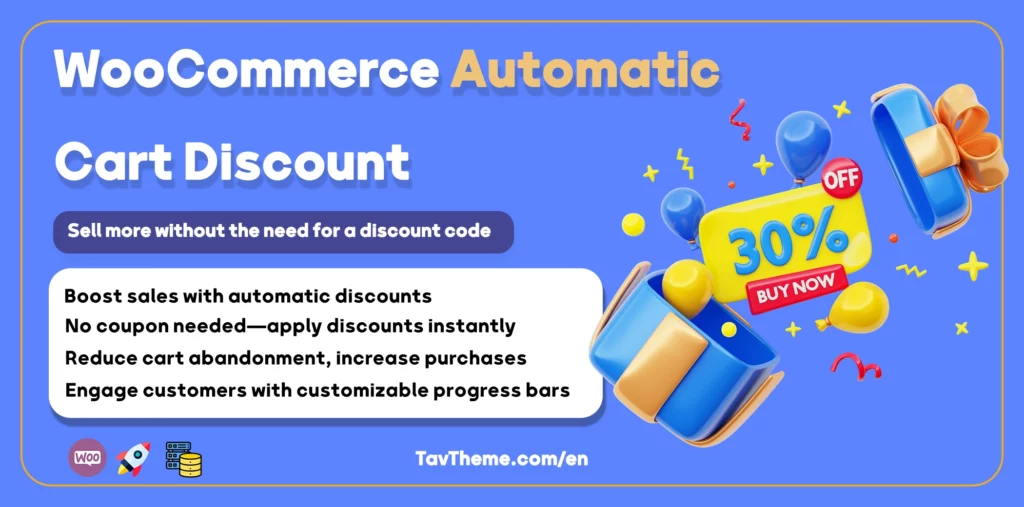
WooCommerce Automatic Cart Discount Plugin – Boost Sales with Smart Discounts!
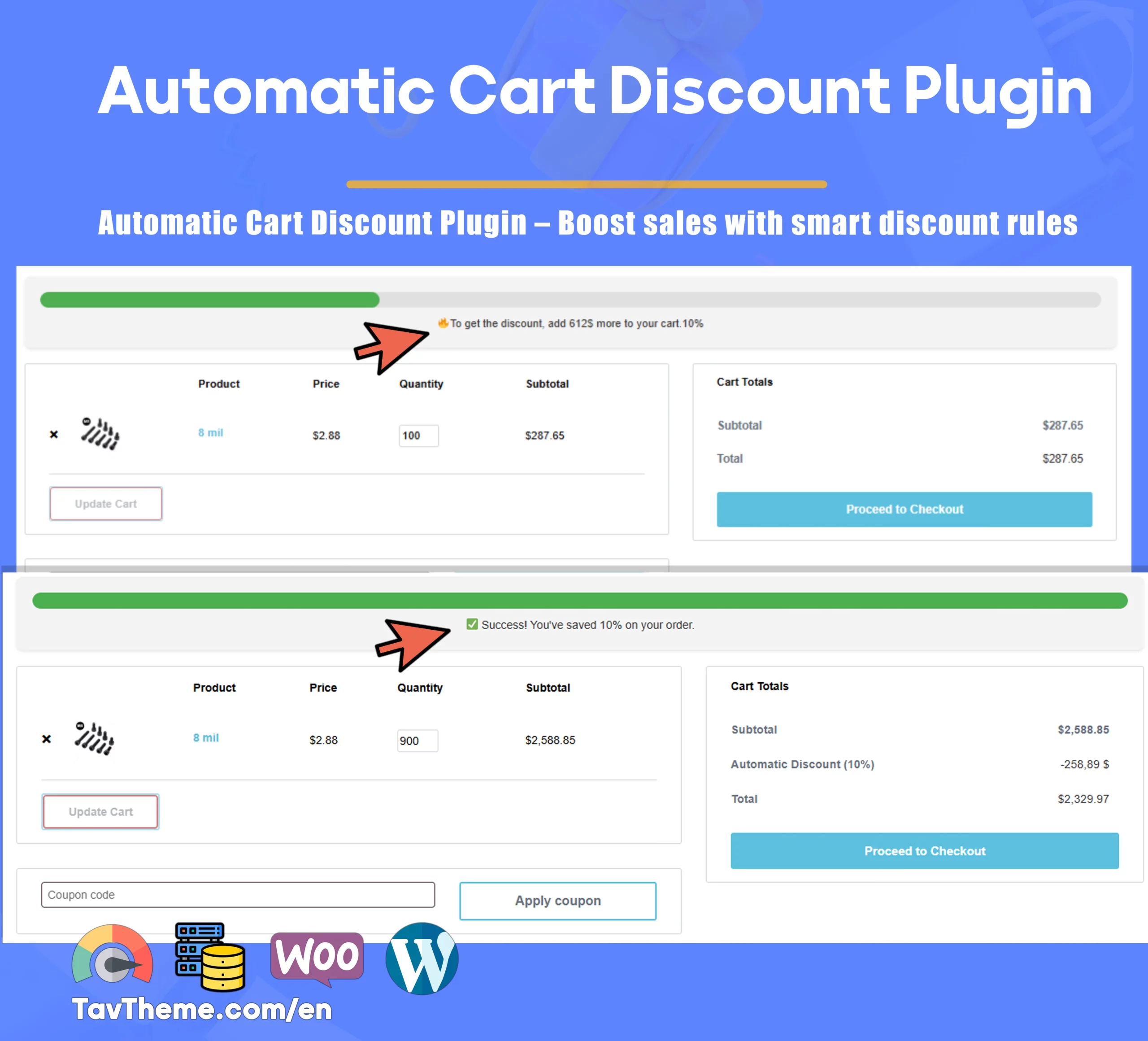
Looking to make your WooCommerce store smarter and encourage customers to buy more? The WooCommerce Automatic Cart Discount Plugin is precisely the tool you need! This plugin automatically applies discounts based on the customer’s cart total, without the need for discount codes. With this feature, customers easily receive discounts as they increase their purchase amount, completely eliminating the need to enter a coupon code. A key part of this plugin is its progress bar, which shows the customer how much more they need to buy to earn a discount; this feature alone acts as a powerful sales motivator.
Key Features of This Plugin
✅ Automatic discount application when the cart reaches a specified amount.
✅ Supports both percentage-based and fixed-amount discounts.
✅ Displays a cart progress bar to boost purchasing motivation.
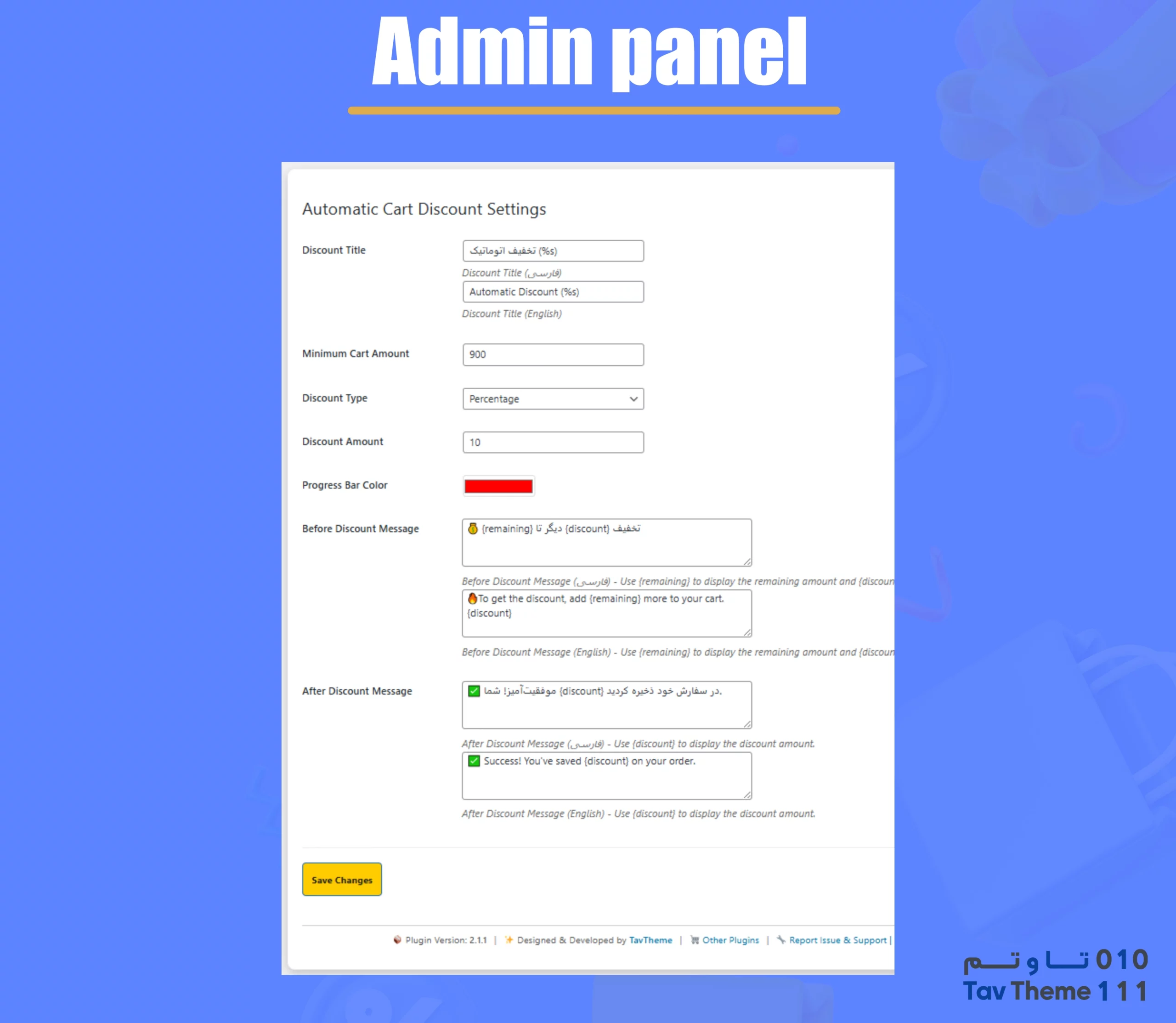
✅ Customizable progress bar colors and text to match your site’s design.
✅ Increases average order value by encouraging users to add more products.
✅ Full compatibility with WooCommerce and WordPress themes.
✅ Easy management through the WordPress dashboard, no technical knowledge required.
✅ Option to customize messages before and after reaching the discount threshold.
Why You Should Use This Plugin
💰 Increase Average Order Value – Customers add more products to their cart to qualify for discounts.
⚡ More Sales Without Coupons – Discounts are applied automatically, simplifying the purchase process.
🎨 Customizable and Attractive Design – Change the progress bar’s color and text to match your brand.
🛍 Improved User Shopping Experience – Customers know exactly how close they are to getting a discount.
⚡ Compatible with WooCommerce and Professional Themes – No worries about incompatibility with your store.
📊 Boost Conversion Rates and Sales – Smart discounts encourage customers to buy more.
How This Plugin Works
- Site admin sets the minimum purchase amount and discount type.
- Customers add products to their cart and see the progress bar.
- Once the specified threshold is met, the discount is automatically applied.
- Customers complete their order and benefit from the discount.
- Store owners can view a list of discounted orders in the WordPress dashboard.
Why This Plugin is the Best Choice for Your Store:
If you’re looking to boost sales and retain customers, this plugin offers a fast and effective solution. By incentivizing larger purchases, enhancing the user experience, and streamlining the discount process, you can make your store smarter and more user-friendly without complex settings or manual coupon codes.
🔹 No coupons needed
🔹 No technical knowledge required
🔹 Boost sales and attract loyal customers
📢 Get this plugin now and transform your sales! 🚀



Ethan Clark –
AOV went up right away; the progress bar nudges customers to add one more item.
TavTheme –
Great result, Ethan! Try shorter thresholds for weekend promos and adjust bar color to match urgency.
Grace Miller –
Does the bar update via AJAX after quantity changes? Any way to customize texts/colors without code?
TavTheme –
Yes, since 2.1.1 it updates via AJAX. You can fully customize texts and colors in settings—no coding needed.
Noah Johnson –
WPML/Polylang messages show correctly in EN/FA on cart and checkout. Looks clean.
TavTheme –
Awesome, Noah! Separate fields per language keep it tidy. If you need phrasing tweaks, edit the per-language messages in admin.
Sophia Lee –
Can I switch between percentage and fixed-amount discounts and add {remaining}/{discount} to the message?
TavTheme –
Absolutely. Choose percent or fixed in settings, and include {remaining} and {discount} in pre/post-threshold messages.
Oliver King –
Can I set tiered thresholds with different discounts and messages for each level?
TavTheme –
Yes—you can create multiple rules with increasing minimum amounts, pick percent or fixed per tier, and customize pre/post messages for each level.
Jacob Wright –
After enabling it, the progress bar updates instantly via AJAX when quantities change—our AOV went up and fewer carts were abandoned.
TavTheme –
Fantastic, Jacob! That’s exactly the goal. Try shorter weekend thresholds and a bolder bar color to nudge quicker add‑to‑carts.
Natalie Brooks –
Can I exclude certain categories or on-sale items from counting toward the threshold or receiving the discount?
TavTheme –
Yes. Target only specific categories/products or exclude sale items in your rule settings. Share your setup and we’ll suggest the cleanest config.
Hannah Collins –
The admin UI feels polished, and the bar always shows the gray background correctly—no more theme conflicts.
TavTheme –
Great to hear, Hannah! The latest update hardened styles and asset loading to avoid conflicts. If you see an edge case, send a screenshot and we’ll fine‑tune.